🌐 A Brief on Tim Berners-Lee
Tim Berners-Lee is an English computer scientist, known for having created the World Wide Web, HTML, URL, and HTTP. In fact, some of the technologies used in this article were created by him.
🤏 Before We Begin
We've introduced some other features (and even support for a new platform) since our previous release, Euclid, but they're so noteworthy that they got their own articles.
🪐 Shared Services
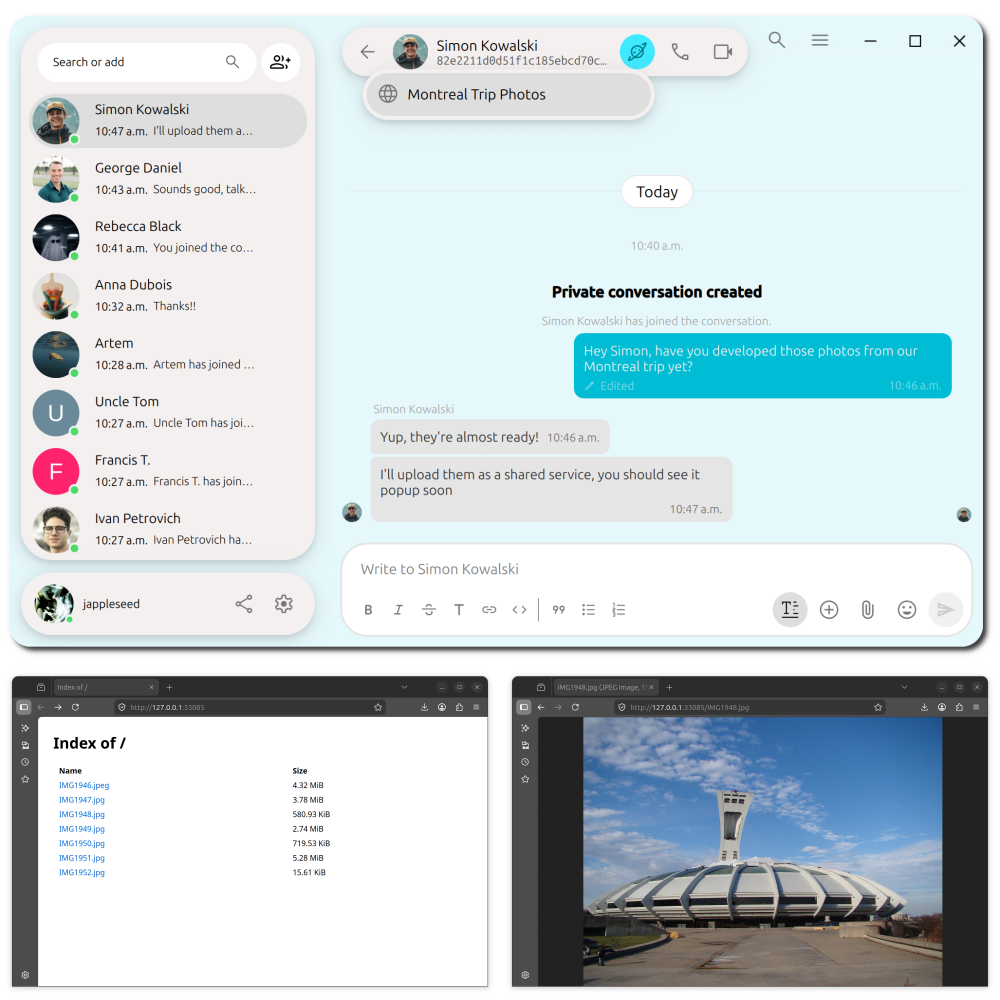
See the full article: Feature Drop: Shared Services
Shared services allow you to share folders, websites and TCP services (such as a game server) using Jami. You can choose whether the service is accessible to everyone, your contacts or only contacts you pick. The feature is equally available on mobile devices, with the exception that service creation is limited to web services on iOS due to operating system restrictions.
🖼️ Picture-in-Picture
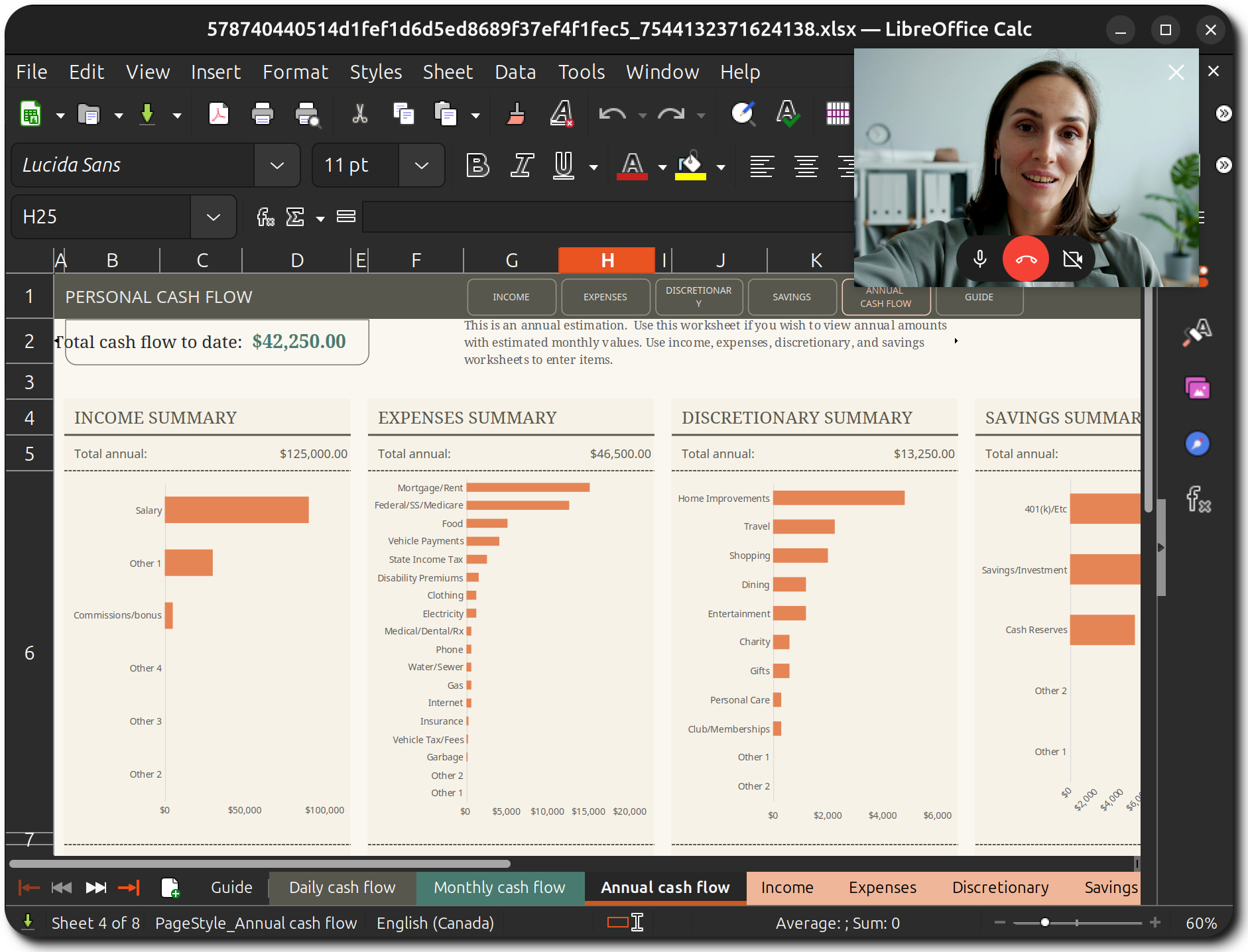
See the full article: Feature Drop: Picture-in-Picture
The picture-in-picture feature lets you put a call in a small window, so that you can continue getting visual and vocal feedback during calls. Picture-in-picture also allows you to control the call without fully reopening Jami.
🌐 Jami-Web
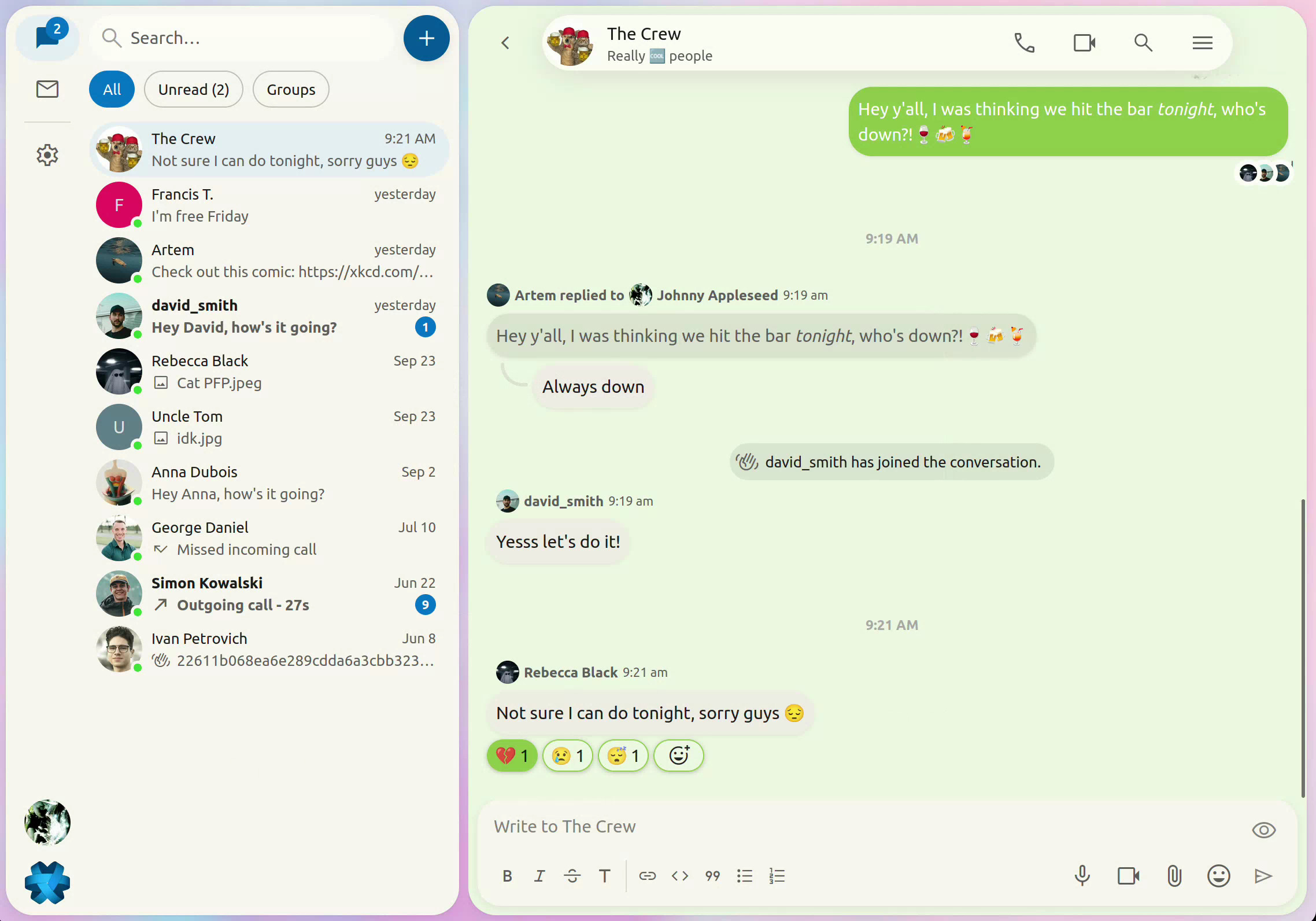
See the full articles: Jami Web - First Preview and Jami Web - Second Preview
To top off this new release, we've also introduced a fancy new way to use Jami: Jami Web. It brings your favourite communication app to your browser through a server that you can host yourself. It currently supports core messaging features, with calls to follow shortly.
📄 Collaborative Editor
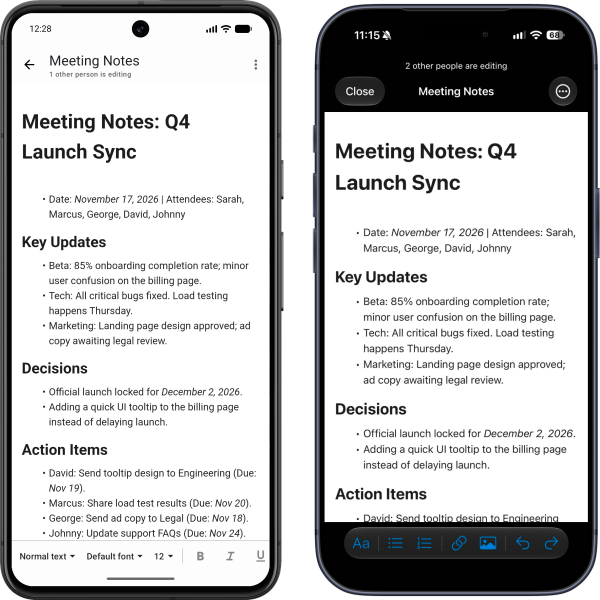
The biggest feature part of this release is called the Collaborative Editor. It's meant to simplify communication between you and others through documentation. Whether it's meeting notes with your colleagues, a shopping list with your friends or a vacation plan with your family, the collaborative editor feature will facilitate that
📁Creating a Document
To create a document, look for the folder icon in the chat's header (next to the call buttons) and select New editable document. You'll be prompted to create a name for the document. Once done, you'll see the document in the chat. Clicking on it will open up the document.
🔣 Formatting the Document
There are tons of formatting options available to you when writing your document:
- Paragraph style, font family and size
- Bold, Italics, Underline, Strikethrough
- Alignment (left, centred, right, justify)
- Left-to-right and right-to-left
- Numbered and bulleted lists
- Link and image insertion
Spell checking is also available for those of you who operate in multilingual environments (Bonjour du Québec!).
🔴 Live Editing
Probably the coolest feature of the collaborative editor: live editing. You and your contacts can edit documents at the same time! This includes groups as well, so as long as someone is part of a group, they can edit a document.
↩️ Document History
Sometimes you dislike all your (or someone else's) changes, but don't feel like pressing Ctrl + Z a ton of times to rewind. Not to worry, for document history is here. Simply click the Version history button in the bottom-right corner of the editor window to open up the document's history. Selecting a history item will show you a preview of the document at that point in time. Pressing Restore this version will bring the document back to the selected state.
↗️ Exporting the Document
If you want a local copy of the document, you can easily export it by pressing Export a local copy (next to the Version history button). Jami currently supports exporting to PDF, ODT, HTML, Markdown and plain text.
📱Editing on Mobile
The collaborative editor feature is also available on the go, so you can never miss an update from your peers.
🔃 Quick Switcher
If you're not a fan of Mus musculus (also known as a mouse), you'll be elated to hear we've added a quick switcher. It lets you switch between key content in Jami, such as contacts, groups, and settings.
You can access it with the shortcut: Ctrl + K.
➕ Additional Changes
🍎 Updated Chat and Call Views for iOS
Our iOS app has gotten a bit of a facelift for its chat and call UIs. We hope you enjoy them!
📹 Video Conference Resolution
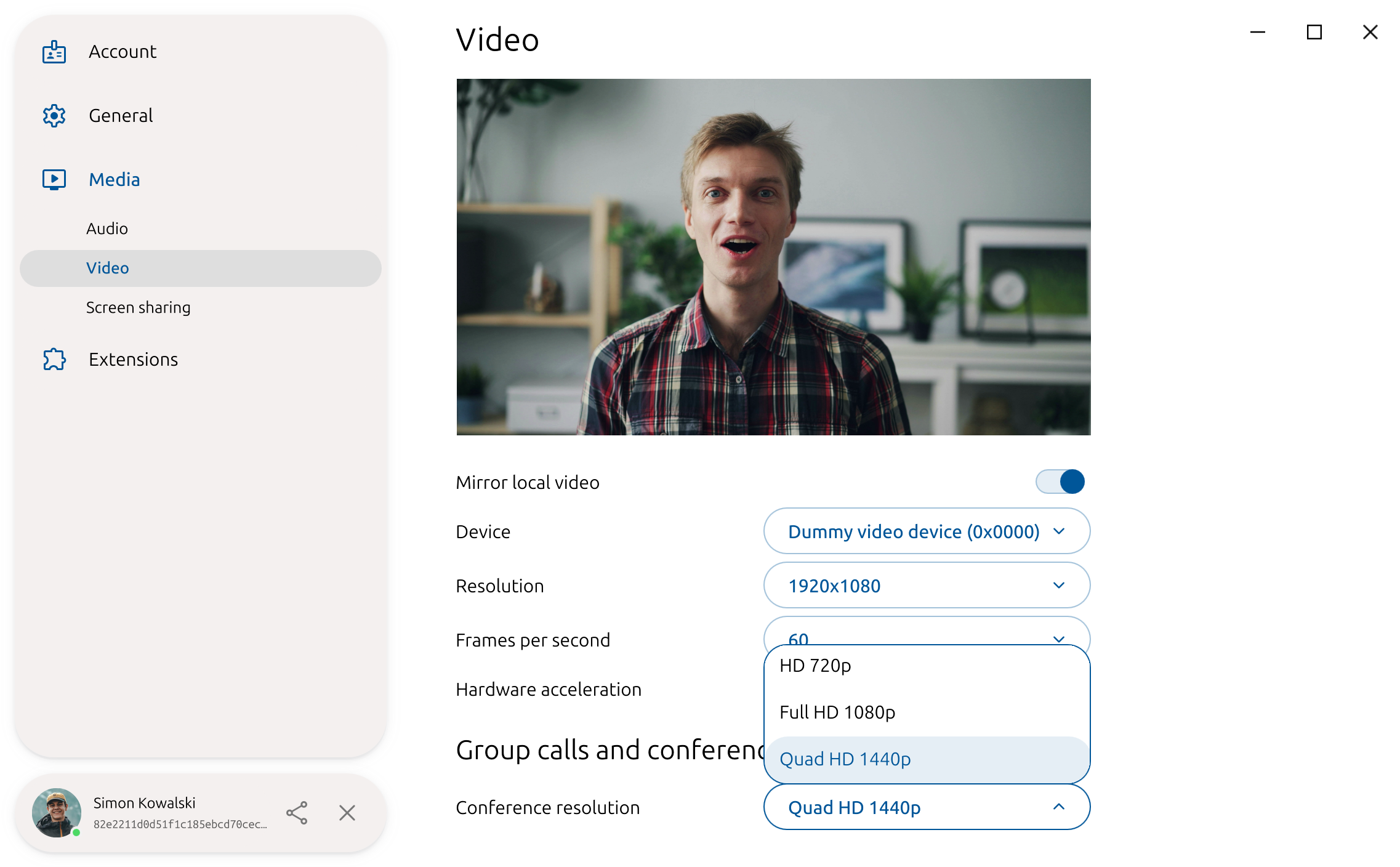
You can now set the resolution for group calls and conferences that you host! No more gritty video. To set it, navigate to Settings → Media → Video → Group calls and conferences → Conference resolution.
🗼Network Switching
If you've ever been on a call with someone on Jami and left your house while still on call, you may have noticed that the call freezes and that you have to restart it. As of today, that is no more! Jami will now handle switching between Wi-Fi and mobile data during calls, so you can continue your yap session without getting hiccups 🗣️
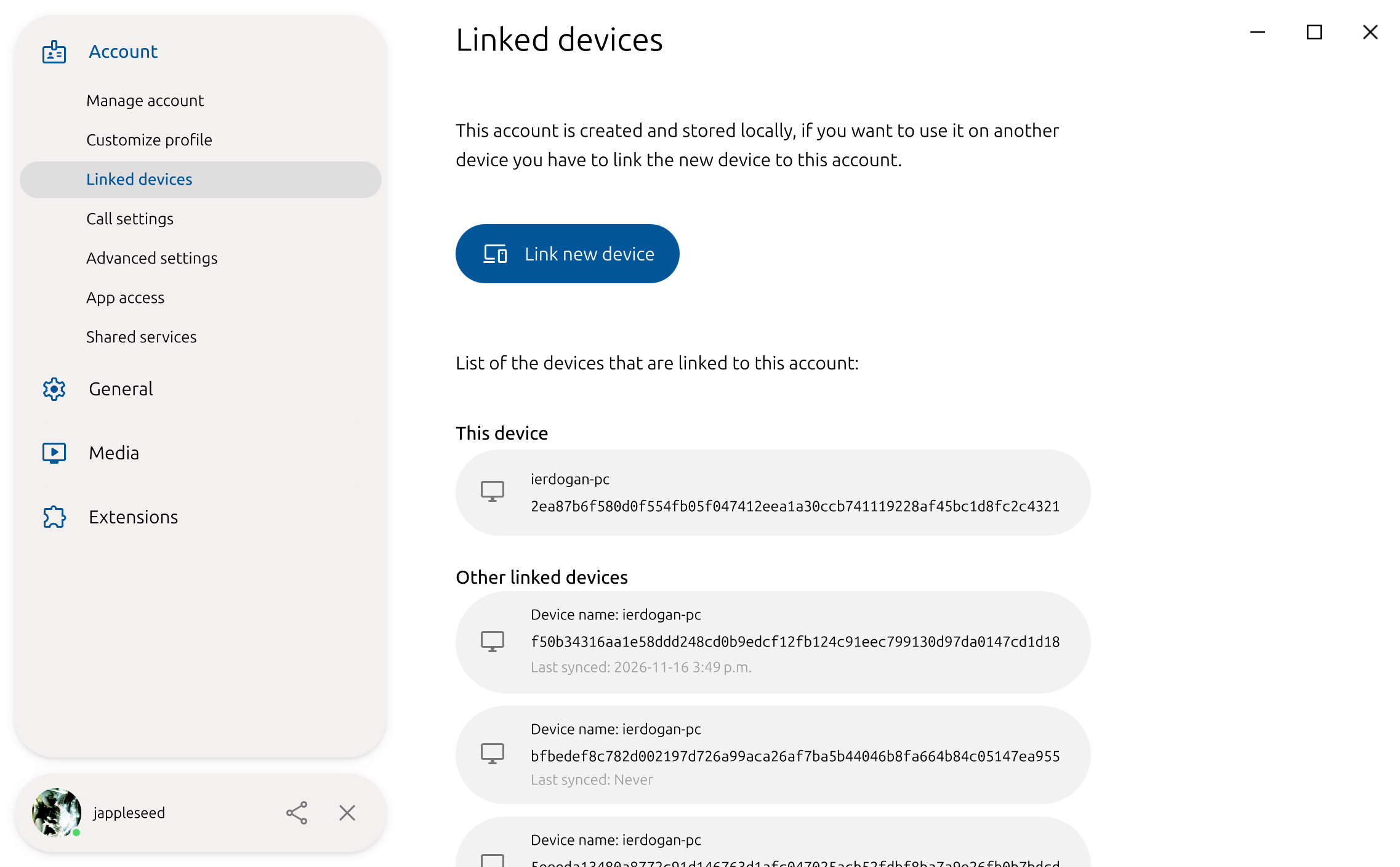
📲 Last Sync with Linked Device
You can now see the last time one of your linked devices was synchronized with your account.
🏷️ Contact Added Date
If you've ever wondered how long you and a contact have known each other, you can now find out.
🧑💻 Behind the Scenes
If you're a developer (or maybe just a technically-inclined reader), you might want to know what changes have been made behind the scenes. Here's what's changed and improved:
- Jami now runs on Qt 6.12 (previously 6.10)
- Improved background activity on both Android and iOS, reducing battery consumption
For an extensive and detailed list of all changes, please see our changelog.
Ready to Experience the New Jami?
Our donation campaign
Building Jami is not only about writing code. It also means funding engineering time, testing, support, packaging, and the ability to keep the project independent.
If Jami is useful to you, whether every day or as a reliable alternative when you need it, your donation directly helps maintain this level of quality and accelerate development, without compromising the project’s founding principles.
Credits
Article by Ilyas Erdogan (Jami Team)
Feature image: Screenshot of the recreated page of the first website, home.cern


